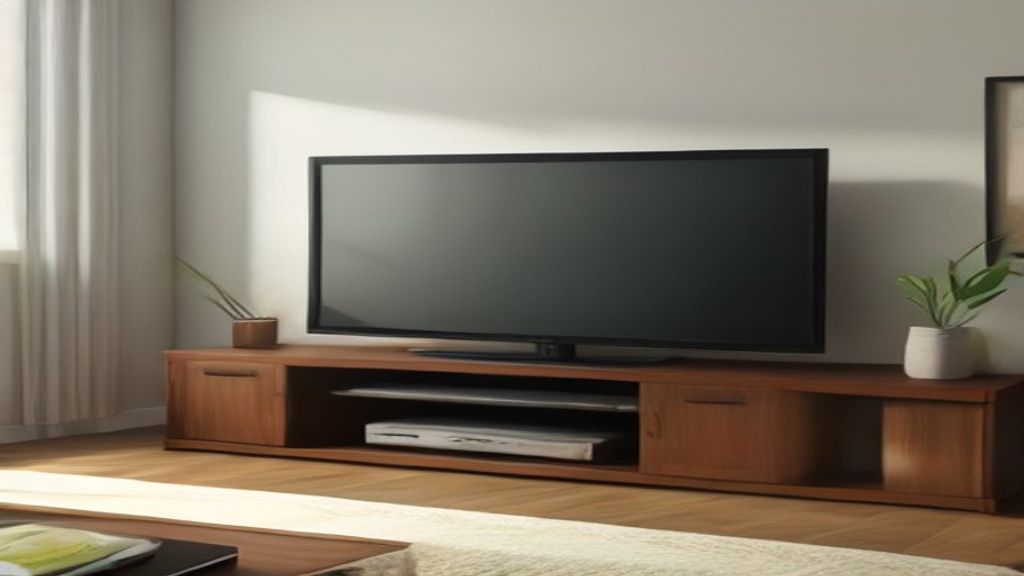
Last year I ordered a 78-inch TV stand without measuring the wall behind my couch. It looked right—wide, low, solid. When it arrived, I pushed it against the wall and my floor vent sat directly under the center. That stand blocked all airflow, and the corner of a bookshelf made the left side overhang by two inches. I had to return the whole thing and eat a $40 shipping fee. The fix wasn't a different style. It was rechecking width against room constraints, not just the TV.
The True Width Test: Wall Space, Not TV Width
Your TV might be 65 inches diagonal, so a 78-inch stand seems like it has 13 inches of cushion. But the cushion gets eaten fast. Every room has interrupts: a floor vent, an outlet plate, a baseboard heater, a door frame that sticks out. Before ordering, measure the flat uninterrupted wall segment where you plan to put the stand. That midpoint is what matters. If the vent sits dead center and the stand is 78 inches wide, you'll cover it unless you shift left or right—which then changes your viewing angle.
I now use this rule: walk the width of the stand across the wall with your arms. Mark the edges on the floor with tape. Stand back. That sounds ridiculous until you realize the stand's feet often sit a few inches inward from the edge, so the actual footprint is narrower. My 78-inch stand has feet at 62 inches. That meant the vent was clear after all—the edge of the cabinet overhung it, but the cabinet was fully enclosed with a solid back. Air couldn't pass through anyway.
Where a 78-Inch Works, and Where It Collapses
A 78-inch stand shines when you have a long console you want to anchor, maybe a credenza in a bonus room or a media wall with bookshelves on both sides. You get room for a center speaker, cable boxes, a game console, and still have shelf space for baskets.
But it fails quickly in apartments with shorter walls or when you start adding neighboring furniture. I had a friend send me a floor plan sized 12 by 14 feet. The TV wall had a door on the left and a window on the right. The uninterrupted gap between them was only 74 inches. He almost bought a 78-inch stand because his TV was 65 inches. Did the math after I nagged him: 74 minus 78 equals negative 4. He would have been wedged in with no clearance on the door side. Also his soundbar was 18 inches wide, so he needed the center bay clear—which the vent would have blocked anyway.
That stand now lives in his basement with no door next to it, and it works great. The same design that was wrong one floor up became right in a different room.
Weight and Delivery: The Back-End Surprise
Most 78-inch media consoles weigh between 60 and 110 pounds with packaging. Delivery word choice matters. The site said "curbside." I assumed they'd at least get it past the door like I'd read in other reviews. Carriers often drop it at the curb and leave, especially on busy weeks. My first delivery had me haul a 90-pound box up two flights alone because the helper vanished when he saw stairs. That's another 20 minutes of your day and a backache risk.
The other weight factor: if your TV is heavy, say a 75-inch model around 70 pounds, make sure the top plate is thick enough. One 78-inch stand I looked at spec'd a 5mm MDF top with a 150-pound capacity spread across the whole top. My 65-inch TV plus a center channel put about 85 pounds on one area around the feet. That flexed noticeably after a month. I moved the TV feet to the solid frame lines directly, which killed the flex. But you shouldn't have to study the internal structure like that.
Layout First, Then Aesthetics
Before you pick a color or a wood grain, draw your wall to scale on grid paper. Include every outlet, every vent, every baseboard. Then draw the stand at 78 by 16 inches. Walk around it in your mind. Where do the cables go? A stand this wide usually has an open back or cutouts, but check the spec sheet. If the cutouts are on the left side and your TV input ports are on the right, you'll need to run an HDMI across the whole width behind the TV. Cable management becomes a bigger deal than the look.
If you're serious, pull up the height spec too. Many 78-inch stands sit around 18 to 22 inches tall. At 4K, you'll likely want the center of the TV at eye level when seated, which usually means the stand height is fine. But if it's for a bedroom where you watch lying down, you need different rise. Every design choice should come after the width and layout check.
The One Decision That Fixes Everything: Buy the Stand for the Wall, Not for the TV
The entire purchase hinges on a single question: does the 78-inch width clear all the permanent stuff on that wall without blocking anything? A vent, an outlet you actually use, a light switch, a door that needs to open 90 degrees. If it doesn't, the extra style, storage, and reviews won't matter. The one factor is width clearance against your real wall, measured before and after you account for table feet inset and baseboard depth.
If you're juggling a tight space, some shorter width options might save you the return trip. I've covered what matters when finding a tall narrow TV stand that fits a 13-inch gap, how the brimnes 47-inch unit felt in a 9-foot-wide room, and the TV stand width mistakes for glass models. Also, if you're ever tempted by a door-buster deal, my notes on the Black Friday TV stand trap might save you a headache. And for the LG specific crowd, picking a TV stand for LG TV goes into the width and weight checks you won't see on the box.
Measure the wall. Ignore the width that matches the TV. That one number decides everything.